
Best Mobile Measurement Apps | Top 7 Tools
Mobile measurement apps allow smartphones to handle many everyday measuring tasks that once required physical tools. Whether you are checking furniture dimensions, estimating room size, measuring angles for alignment, or calculating outdoor distances, these apps provide a fast and convenient way to get usable measurements directly from your phone.
Most measurement apps rely on a combination of camera sensors, motion tracking, augmented reality, and mapping data to estimate distances, heights, angles, and surface areas. While they are not a replacement for professional-grade measuring tools, they work well for planning, visualization, and everyday reference.
Popular Mobile Measurement Apps at a Glance
| App | Best For | Measurement Type | Platform |
|---|---|---|---|
| Measuring Angles | Alignment and leveling | Angles, slope, level | iOS, Android |
| Moasure | Irregular areas and layouts | Distance, area, angles | iOS, Android |
| Smart Measure | Height and distance estimation | Height, distance | Android |
| Ruler | Small object measuring | Length | iOS, Android |
| AirMeasure | Room and furniture planning | AR distance and surfaces | iOS |
| Levels and Angles | Leveling and pitch checks | Angles, level | iOS, Android |
| Google Maps | Outdoor distance measuring | Distance, routes | iOS, Android |
1. Measuring Angles
Measuring Angles focuses on alignment rather than linear distance. It functions as a digital protractor, bubble level, and compass using your phone’s internal sensors. This makes it useful for checking slopes, wall angles, shelf alignment, and basic layout work.
The app is commonly used for DIY projects, hanging artwork, cabinetry alignment, and renovation preparation where visual accuracy matters more than exact measurements.
2. Moasure
Moasure uses motion sensors to calculate distances, areas, and angles by moving the phone around a space or object. It works well for measuring irregular shapes, room perimeters, yards, and outdoor areas where straight-line measuring is difficult.
Its guided workflows and visual mapping features make it especially useful for landscaping plans, material estimates, and larger measurement tasks that are hard to capture with traditional tools.
3. Smart Measure
Smart Measure estimates distance and height by calculating angles between the phone camera and a target. By aiming at the base and top of an object, the app estimates measurements using built-in mathematical formulas.
This app is often used to estimate the height of buildings, trees, walls, and other vertical structures where direct measuring is impractical.
4. Ruler
Ruler turns your smartphone screen into a digital measuring surface. It supports multiple units such as inches and centimeters and works best for small objects that can be placed directly against the screen.
This type of app is useful for quick reference measurements involving tools, hardware, paper, or small furniture components.
Looking for the best mobile measurement apps? Here are seven popular options to check out for everyday measuring tasks.5. AirMeasure
AirMeasure uses augmented reality to estimate distances and surfaces through your phone’s camera. Users can lock points in space and measure between them, making it helpful for room layouts, furniture spacing, and visual planning.
Accuracy can vary depending on lighting and camera quality, but it offers a practical solution when physical measuring tools are not available.
6. Levels and Angles
This app combines multiple measuring tools into one interface, including a bubble level, angle meter, ruler, and alignment aid. It is useful for leveling furniture, checking wall pitch, and verifying slope.
Because it relies primarily on internal sensors, it can deliver consistent results for alignment-focused tasks.
7. Google Maps
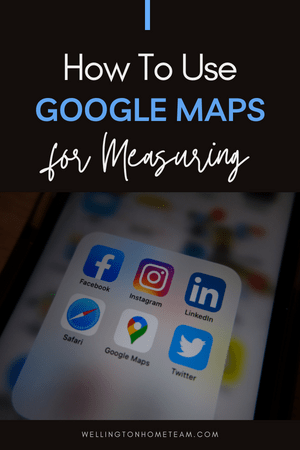
Google Maps includes a built-in distance measuring feature that allows users to calculate the distance between multiple points on a map. This tool works well for walking routes, trail distances, property boundaries, and outdoor planning.
Measurements update in real time as points are added, making it one of the simplest tools for estimating outdoor distances.
Mobile Measurement App FAQ
Are mobile measurement apps accurate?
Most mobile measurement apps provide estimates that are accurate enough for planning and everyday reference. Accuracy depends on the device, lighting conditions, and how the app is used.
Can these apps replace a tape measure?
They are useful for quick checks and estimates, but physical measuring tools are still recommended when exact measurements are required.
Do I need special hardware?
Most apps work on standard smartphones. Some features perform better on newer devices with improved cameras and motion sensors.
Which app works best for measuring rooms?
Apps using augmented reality or motion tracking are often better for room layouts, while mapping tools are better suited for outdoor measurements.
Are these apps free?
Many measurement apps offer free versions with basic tools, with optional upgrades available for advanced features.
Final Thoughts
Mobile measurement apps provide convenient solutions for many everyday measuring needs. While they are not a substitute for professional tools, they can save time and simplify planning when exact precision is not required.
The best app depends on what you need to measure, whether that is distance, angles, height, surface area, or outdoor routes.
Please consider sharing: Best Mobile Measurement Apps
Looking for the best mobile measurement apps? Here are seven popular options to help with everyday measuring needs.About the Author
Top Wellington Realtor, Michelle Gibson, wrote: “Best Mobile Measurement Apps”
Michelle has specialized in residential real estate since 2001 throughout Wellington Florida and surrounding areas. She provides guidance for buyers, sellers, and homeowners navigating planning, technology, and property decisions.
Areas of service include Wellington, Lake Worth, Royal Palm Beach, Boynton Beach, West Palm Beach, Loxahatchee, Greenacres, and more.